User Profile Pages
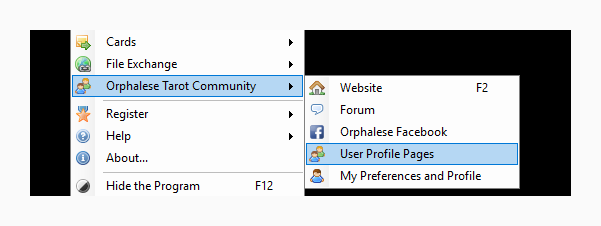
The User Profile viewing tool is launched by selecting User Profile Pages off the Orphalese Tarot Community menu.
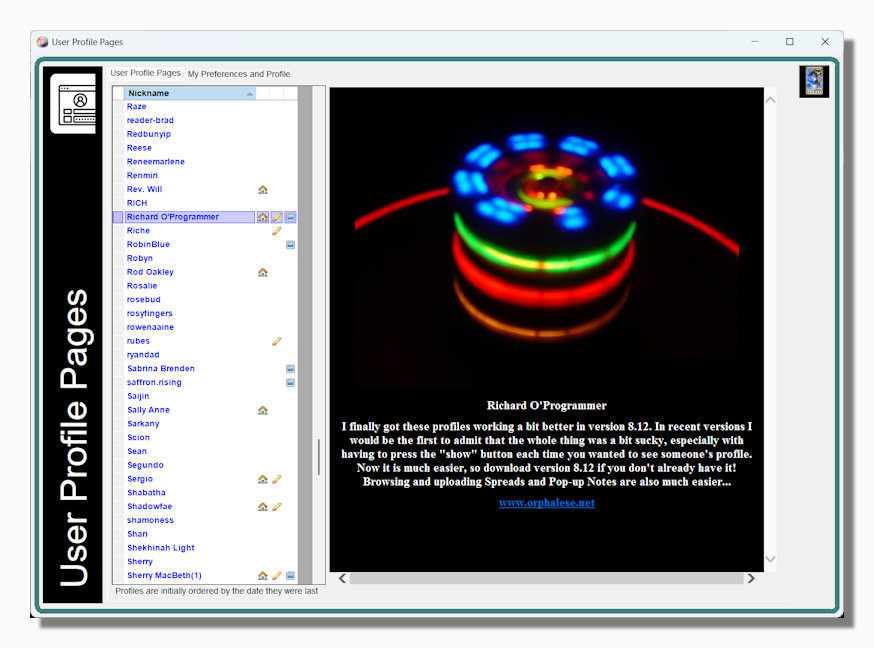
The program allows registered users to upload a picture and some biographical information such as a link to their home page or business, these profiles can then be browsed by other users. These pages are not accessible to unregistered users and are only visible to registered users if you check the Show My Online Profile option on the My Preferences and Profile tab.
Simply click on the name of any user who has opted in to this to see their profile.
By Default when the form is first shown these profiles are ordered by the date they were last updated, so those updated most recently are towards the top of the list. By clicking on any of the column headers you can determine an alternative sort order based on the column clicked.
Tip: This topic and the My Preferences and Profile topic both refer to this form. If you click either User Profile Pages or My Preferences and Profile the same window opens, the difference is in which of the two principal tabs are selected.